Create a Google site from scratch…in minutes!

Submitted by Fiona Beal

Recently I saw a Google+ post from Google for Education that said ‘Make a Google site in minutes’. This immediately caught my attention as I imagined it would take a mush longer time than that.  The post in question said that all one needs to do is follow the six steps listed below. I tried it and, quite honestly, it IS as simple as that!

What is a Google site?

A Google site can be seen as an interactive website that is quick and easy to create without any knowledge of HTML. It is a quick way   to make information accessible to others.  A group can work together on a Site to add file attachments, information from other Google applications (like Google Docs, Google Calendar, YouTube and Picasa), and new free-form content.


Why use a Google site?

Sites are great for class websites, student eportfolios, private discussion boards with parents, group projects, research projects and more. 

Video tutorial on creating a Google site

At our first Google Summit in South Africa we were privileged to have Chris Betcher from Australia presenting. He is well-versed on creating Google sites and here is his video tutorial ‘Íntroduction to Google sites’.

                                  https://www.youtube.com/watch?v=Nilei4D-Ay4&feature=youtu.be


Text-based tutorials on creating a Google site

The following two really superb tutorials can be found on Chris Betcher’s own Google site called ‘Summit stuff’ http://goo.gl/Y2Nrel.

  • Designing Google Sites: Part 1
  • Designing Google Sites: Part 2

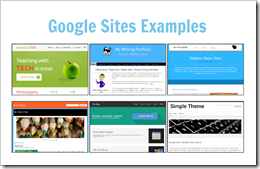
Google Sites Examples

Click on the following image to be taken to a page of Google Sites examples to copy

image

« Return to Latest News

SchoolNet South Africa is an incorporated Non Profit Company - Registration 2001/012244/08, NPO Number 030-817
and holds Public Benefit Organisation (PBO) Status, in terms of Section 30 of the Income Tax Act - PBO Number 130003557.

Click here to support SchoolNet


/*; } .etn-event-item .etn-event-category span, .etn-btn, .attr-btn-primary, .etn-attendee-form .etn-btn, .etn-ticket-widget .etn-btn, .schedule-list-1 .schedule-header, .speaker-style4 .etn-speaker-content .etn-title a, .etn-speaker-details3 .speaker-title-info, .etn-event-slider .swiper-pagination-bullet, .etn-speaker-slider .swiper-pagination-bullet, .etn-event-slider .swiper-button-next, .etn-event-slider .swiper-button-prev, .etn-speaker-slider .swiper-button-next, .etn-speaker-slider .swiper-button-prev, .etn-single-speaker-item .etn-speaker-thumb .etn-speakers-social a, .etn-event-header .etn-event-countdown-wrap .etn-count-item, .schedule-tab-1 .etn-nav li a.etn-active, .schedule-list-wrapper .schedule-listing.multi-schedule-list .schedule-slot-time, .etn-speaker-item.style-3 .etn-speaker-content .etn-speakers-social a, .event-tab-wrapper ul li a.etn-tab-a.etn-active, .etn-btn, button.etn-btn.etn-btn-primary, .etn-schedule-style-3 ul li:before, .etn-zoom-btn, .cat-radio-btn-list [type=radio]:checked+label:after, .cat-radio-btn-list [type=radio]:not(:checked)+label:after, .etn-default-calendar-style .fc-button:hover, .etn-default-calendar-style .fc-state-highlight, .etn-calender-list a:hover, .events_calendar_standard .cat-dropdown-list select, .etn-event-banner-wrap, .events_calendar_list .calendar-event-details .calendar-event-content .calendar-event-category-wrap .etn-event-category, .etn-variable-ticket-widget .etn-add-to-cart-block, .etn-recurring-event-wrapper #seeMore, .more-event-tag, .etn-settings-dashboard .button-primary{ background-color: