 Open Office Calc - Calculate the Average
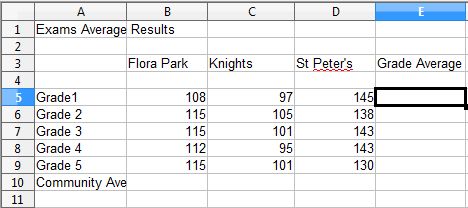
 | 1 | Click the first empty box or cell to the right of the row of numbers for which you want to find average.
|
|
| 2 | Or, click the first empty box or cell below the column of the numbers of which you want to find average.
|
|
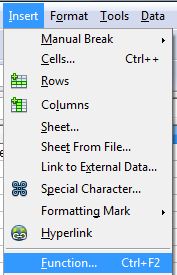
| 3 | Click Insert | Function
or click the Functions icon |
|
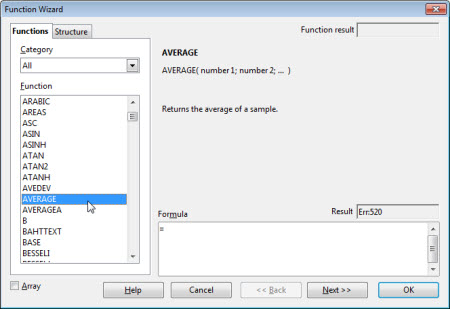
| 4 | Select AVERAGE
|
|
| 5 | Click OK in the Function Wizard Dialog box or press the Enter key |  |
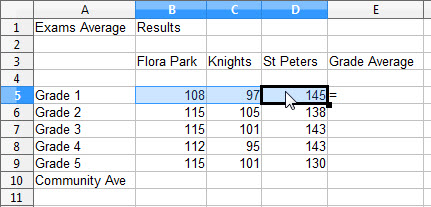
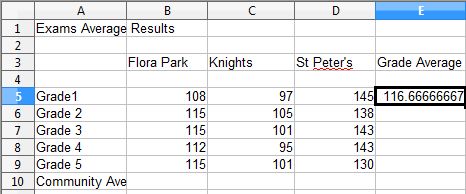
| 6 | Select the cells for which you want to calculate the average. Press Enter.
|
|
| 12 | Notice that the average result now shows in the selected cell.
|
|


Produced by SchoolNet SA