 Open Office Calc - Sum Formula
 1 |
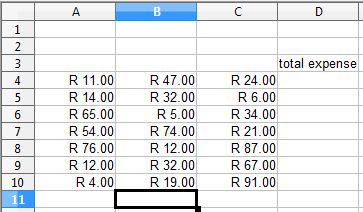
Click the first empty box, or cell to the right of the row of numbers you want to add.
|
|
2 |
Or click the first empty cell bellow the numbers you want to add.
|
|
3 |
Click the sum button on the formula bar |
 |
4 |
Notice that a border appears around the cells the program thinks you want to add. You vwill also see the sum formula in the cell you first clicked. 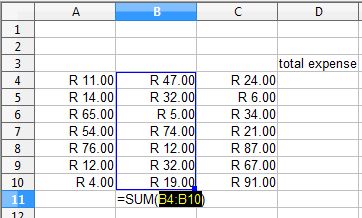 |
|
6 |
Press the Enter key |
|
7 |
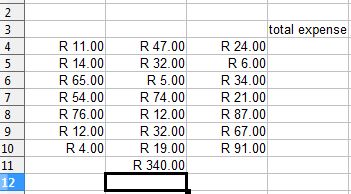
Notice that the results of the formula now show in the cell.
|
|

Produced by SchoolNet SA