 Open Office Calc - Insert a Worksheet
 | 1 | Open a Spreadsheet. | 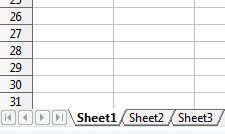 |
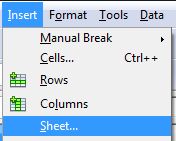
| 2 | Click Insert | Sheet
|
 |
| 3 | In the Position group click Before current sheet to insert the new worksheet before the currently selected sheet. | 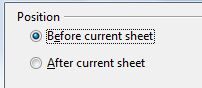 |
| 4 | Or click After current sheet to insert the new worksheet after the currently selected sheet. | 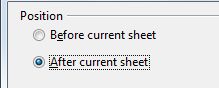 |
| 5 | Make sure New Sheet is selected in the sheet group.
|
 |
| 6 | Then, type the number of sheets you want to insert in the No. of sheets box.
|
 |
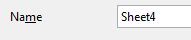
You can also type a name for your new worksheet in the Name box.
NOTE: If you are inserting more than one worksheet you will not be able to give them names |
 |
|
| 7 | Click OK |  |
| 8 | Notice that the new worksheet has been inserted into the spreadsheet. | 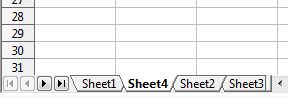 |
Produced by SchoolNet SA