 Open Office Writer - Creating a chart
 | 1 | Click Insert | Object | Chart | 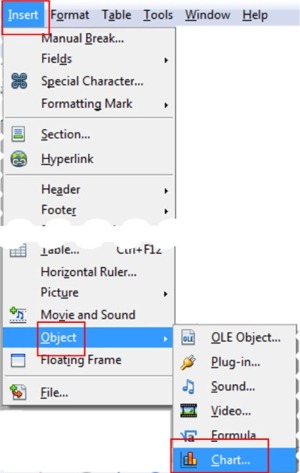 |
| 2 | You will see a default chart | |
 |
||
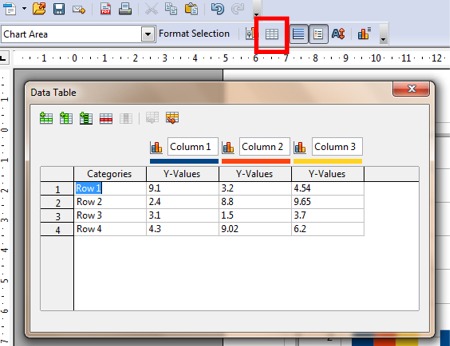
| 3 | Click on the Chart Data Table icon to be able to change the chart data. NOTE: You can change the values in the cells to relfect the data that you want to display in the chart. |
|
 |
||
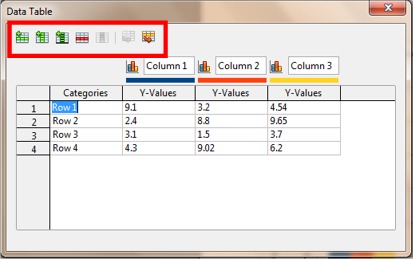
| 4 | Click the Insert, Delete and Move icons to add, delete or move rows or columns. | |
 |
||
Produced by SchoolNet SA