 Open Office Writer - Page Orientation
 | 1 | Click Format | Page | 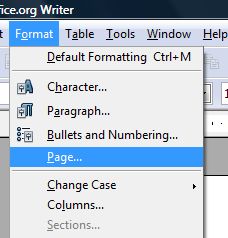 |
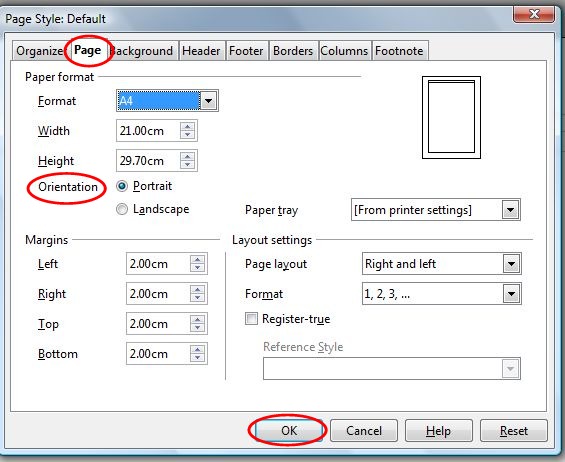
| 3 | Click the Page Tab | |
| 4 | In the Orienation secrtion, pick the Landscape orientation option (this is the orienation used for wide books) |
|
| 5 | Or In the Orientation section, pick the Portraitorientation option (this is the format used for most documents like exam papers etc.) |
|
 |
||
| 6 | Click OK |
|
Produced by SchoolNet SA