 Open Office Writer - Automatically Change Column Width
 | 1 | Select the entire table.
|
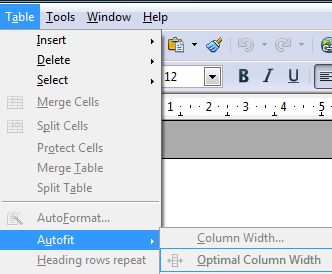
| 2 | There are several ways to change the width of columns in a table. To change the width of the table's columns to fit the information, click Table | Autofit | Optimal Column Width.
|
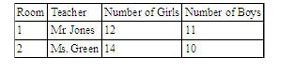
| 3 | Notice the column widths are changed based on the information in the table.
|
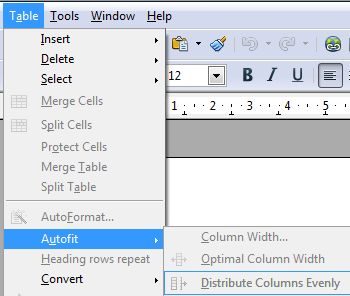
| 4 | Or, to make all of the table's columns the same width, click Table | Autofit | Distribute Columns Evenly.
|
| 5 | Notice that the columns are changed to be all the same width. 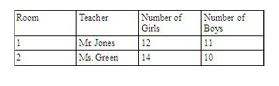 |
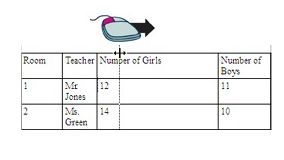
| 6 | Or, if you want to change the width of only one column, you can also put the pointer over one od that column's borders, hold down the left mouse button, and drag.
|

Produced by SchoolNet SA