 Open Office Writer - Column Width
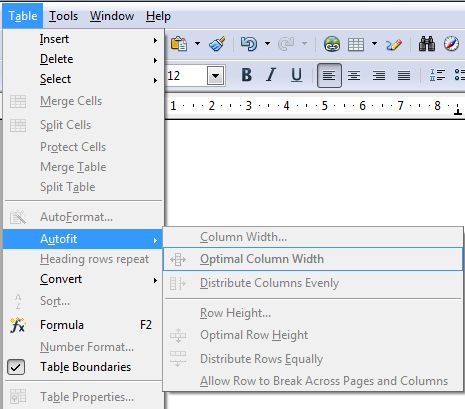
| 1 | To change the width of the entire table: Click Table | Autofit | Optimal Column width NOTE: the column widths are changed based on the information on the table |
|
 |
||
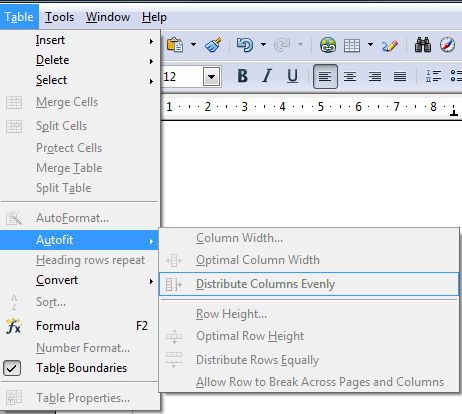
| 2 | To make all the table columns the same width click Table | Autofit | Distribute columns evenly | |
 |
||
| 3 | NOTE: If you want to change the width of just one column, you can click and drag the column wider by clicking on the column dividing line and dragging the column divider in the direction of your choice. (see image below) |
|
 |
||
Produced by SchoolNet SA