 Open Office Writer - Select a Table Column
 | 1 | To select a column click to put the cursor in the top row of the column you want to select. | |
| 2 | Click Table | Select | 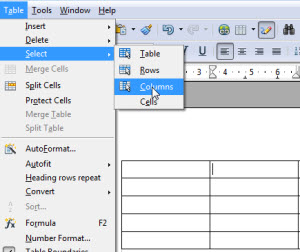 |
| 3 | Click Columns | |
| 4 | Alternatively click to the top of the column just outside the table. | 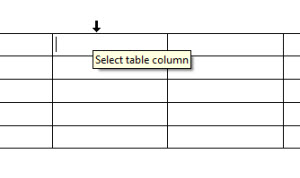 |
| 5 | You can also hold down the left mouse button and drag to select the entire row or multiple rows. | 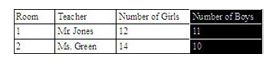 |
Produced by SchoolNet SA