Thinking with Technology
Module 8 - Considering the Seeing Reason Tool for Your Project
Module 8 - Considering the Seeing Reason Tool for Your Project
Activity 8.1
Step 1: Logging In as a learner
Open Seeing Reason from your Favorites. (www.intel.com/education/seeingreason)
-
Click Enter, and then on the page that opens, click learner Log-In.
Type your Teacher ID, Team ID, and Password for your practice map , then click Sign In.
| Note: All of the teams in your class will use the same teacher ID, so you can write it on the board or on their assignment sheets. You will need to meet with each team to let them know their individual team ID and password. |
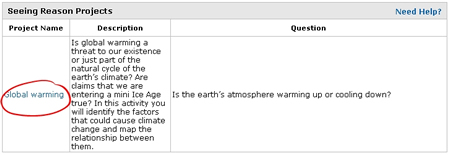
- The learner Workspace page will open. Under Project Name, click your project’s title.