
Author Archives: News Team
 ...
...SchoolNet Webinar recording from Thurs 8 May 3:00pm ‘Get to know the Microsoft Educator Network’ by Megan Rademeyer
 On Thursday afternoon 8 May 2014 at 3.30pm we
held a SchoolNet webinar entitled ‘Get to know the Microsoft Educator Network’
presented by Megan Rademeyer from SchoolNet. Have you noticed the recent
change of name of Microsoft’s Partners in Learning Network to the Microsoft
Educator Network? (the URL is still http://www.pil-network.com/) This change took place on
April 15th 2014 and include with it many additional benefits . There are amazing resources and great op...
On Thursday afternoon 8 May 2014 at 3.30pm we
held a SchoolNet webinar entitled ‘Get to know the Microsoft Educator Network’
presented by Megan Rademeyer from SchoolNet. Have you noticed the recent
change of name of Microsoft’s Partners in Learning Network to the Microsoft
Educator Network? (the URL is still http://www.pil-network.com/) This change took place on
April 15th 2014 and include with it many additional benefits . There are amazing resources and great op...Read more
Microsoft tools #6: Build memory and recognition skills using Microsoft Flashcards
 This application is called FLASHCARDS and it is an application from Microsoft Education Labs. I really like the idea of these flashcards. This is a great programme to teach your learners at school to use. They could use it for anything where facts are important – vocabulary recognition, spelling, history etc. This tool is available as a free resource on the Microsoft Educator’s Network. We invite you to join this amazing network with its large collection of resources...
Read more
SchoolNet Webinar recording from 24 April 3:30pm ‘Create interactive images using ThingLink’ by Linda Foulkes
 On Thursday afternoon 24 April 2014 at 3.30pm we held a SchoolNet webinar entitled ‘Create interactive images using ThingLink’ prsented by Linda Foulkes from Elkanah House High School. We would like to thank Linda very much for willing to present for us and for the great webinars she presents.
The webinar description
Linda says “Thinglink is a great tool that offers a web platform and mobile app for creating and sharing interactive images. With Thinglink teachers or students add conten...
On Thursday afternoon 24 April 2014 at 3.30pm we held a SchoolNet webinar entitled ‘Create interactive images using ThingLink’ prsented by Linda Foulkes from Elkanah House High School. We would like to thank Linda very much for willing to present for us and for the great webinars she presents.
The webinar description
Linda says “Thinglink is a great tool that offers a web platform and mobile app for creating and sharing interactive images. With Thinglink teachers or students add conten...Read more
SchoolNet Webinar on Thurs 8 May 3:00pm ‘Get to know the Microsoft Educator Network’ by Megan Rademeyer
 Have you noticed the recent change of name of Microsoft’s Partners in Learning Network to the Microsoft Educator Network? (the URL is still http://www.pil-network.com/) This change took place on April 15th 2014. There are amazing resources and great opportunities for professional development and opportunities to connect to teachers all over the world available on the Network.. In a nutshell on the the Microsoft Educator Network, amongst a myriad of other benefits, you can:
Get Learning Activit...
Have you noticed the recent change of name of Microsoft’s Partners in Learning Network to the Microsoft Educator Network? (the URL is still http://www.pil-network.com/) This change took place on April 15th 2014. There are amazing resources and great opportunities for professional development and opportunities to connect to teachers all over the world available on the Network.. In a nutshell on the the Microsoft Educator Network, amongst a myriad of other benefits, you can:
Get Learning Activit...Read more
Microsoft tools #5 – Microsoft’s AutoCollage is a must for teachers and students
 Submitted by Fiona Beal
Nowadays there are so many different things you can do with your photographs. Microsoft AutoCollage is a webtool that allows you and your students to get creative with your images and combine them into a single collage. Best, of course, is that it is free. Microsoft Research has really tried to make this application as simple as possible to use. Basically, you point it to a folder of photos in your My Pictures section and it knits them together to produce an eye catching collage....
Submitted by Fiona Beal
Nowadays there are so many different things you can do with your photographs. Microsoft AutoCollage is a webtool that allows you and your students to get creative with your images and combine them into a single collage. Best, of course, is that it is free. Microsoft Research has really tried to make this application as simple as possible to use. Basically, you point it to a folder of photos in your My Pictures section and it knits them together to produce an eye catching collage....Read more
Microsoft tools #4 – Use Photosynth to capture the world in 3D
 Submitted by Fiona Beal
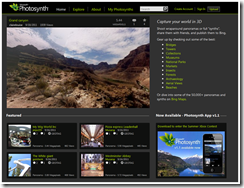
Microsoft’s Photosynth is a powerful set of tools for capturing and
viewing the world in 3D. You can share your creations with your friends on
Facebook, publish them to Bing, or embed them in your own blog or Web site.
Here’s the big picture from Microsoft http://bit.ly/1ndqR9p
How to get started
• Go to http://photosynth.net/ and join.
• It will ask you to download the application on to your computer.
Ideas for the classroom
1. Give a tour of y...
Submitted by Fiona Beal
Microsoft’s Photosynth is a powerful set of tools for capturing and
viewing the world in 3D. You can share your creations with your friends on
Facebook, publish them to Bing, or embed them in your own blog or Web site.
Here’s the big picture from Microsoft http://bit.ly/1ndqR9p
How to get started
• Go to http://photosynth.net/ and join.
• It will ask you to download the application on to your computer.
Ideas for the classroom
1. Give a tour of y...Read more
Microsoft tools #3 – Use Windows Live Movie Maker to make movies in the classroom
 Submitted by Fiona Beal
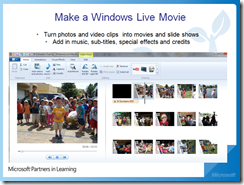
If you think that creating a video with your photos is too complicated then you haven’t tried Windows Movie Maker! The only downside of this amazing webtool is that it may be too simple for advanced users! It really is very usable with great results.
Join the Microsoft Educator’s Network
This tool could be free on your laptop. If not it can be downloaded free of charge from the Microsoft Educator’s Network. We encourage you to join this amazing network with ...
Submitted by Fiona Beal
If you think that creating a video with your photos is too complicated then you haven’t tried Windows Movie Maker! The only downside of this amazing webtool is that it may be too simple for advanced users! It really is very usable with great results.
Join the Microsoft Educator’s Network
This tool could be free on your laptop. If not it can be downloaded free of charge from the Microsoft Educator’s Network. We encourage you to join this amazing network with ...Read more
Microsoft Tools #2; Photostory 3 for Windows is a great free classroom tool
Read more
Microsoft Tools #1: Explore the magic of Microsoft’s SongSmith
Read more


Meet Some of our Partners:

























SchoolNet South Africa is an incorporated Non Profit Company - Registration 2001/012244/08, NPO Number 030-817
and holds Public Benefit Organisation (PBO) Status, in terms of Section 30 of the Income Tax Act - PBO Number 130003557.
Click here to support SchoolNet