I have recently been exploring several different ways of putting video on to a blog or wiki; and when a friend asked me for some ideas on how to do this I thought it would be a good opportunity for me to summarise what I have tried up to now and what I plan to try in the future and use it as a blog post! So here goes…
1. SHORT VIDEOS
This is something I learned through someone else – isn’t it amazing how we learn from one another all the time! In Blogger and Edublogs you can easily add vid...
Even if you have only one computer in your classroom, you can make a start in integrating technology into your curriculum by getting your class involved in a blogging programme. Why not consider it?
Get involved in blogging projects
View more presentations from fionabeal
...
IEARN has some interesting new projects for you to consider. If I can urge you to do one thing in 2012 it is to get your class involved in global projects. It is really worth it and will be really exciting for your learners.
1. Learning Circles
http://www.iearn.org/circles/
2. Special Places project
http://media.iearn.org/projects/specialplaces
3. Future Citizens project http://media.iearn.org/projects/futurecitizen
4. Special Moon Observationhttp://media.iearn.org/projects/moon
4....
Our world is definitely becoming a global village! It is so much easier to connect with classes around the world in our technological age than ever before. It is really worth finding a global project to involve your class in. If you are looking for ways to connect with others here are a few ideas of places to start.
1. Global collaborative projects
http://www.21stcenturyschools.com/Global_Collaborative_Projects.htm#Start Your Own Collaborative Project
2. Kidlink
http://www.kidlink.org/kidspa...
I was very pleased to find out today, through one of my social networking links, that Blogger has its own YouTube Help Channel. It’s called BloggerHelp and you can find it here. When I took a look I saw they had one on one of this week’s topics – How to add a YouTube video to your blog. So I thought I would add it here. For those of you that are still unsure on how to do this here are some screen shots.
1. Find the video you want to download
2. Click on Share to first get the Inte...
Submitted by Fiona Beal
Saturday 26 November 2011
This morning I woke up feeling excited. It was TeachMeet day at Elkanah house! Two ‘meets‘ to look forward to at the same venue – one to do with general technology (TeachMeet) and one to do with using Ipads in the classroom (Ipadmeet). I have written about TeachMeets before on this blog. https://www.schoolnet.org.za/2011/08/why-not-hold-teachmeet-in-your-area.html. They are a very exciting form of professional development. I have b...
What is a Google hangout?
Google+ is Google’s new social networking tool. I have only just discovered its amazing potential since attending the Google Teacher Academy in New York in October. Google has put a lot of funding into developing Google+ and they are committed to making it work well for education, so it will just get better and better I am sure. Once you have created a circle of friends in Google+ you can choose to hang out with them on Google+. This allows you to video chat, IM cha...
There are five Web2.0 applications that I think make a blog a really worthwhile teaching tool in a technology integrated classroom. They are:
1) Box.net where you can store documents that you have created and link to them.
2) Embedit.in which allows you to embed anything on your blog.
3) Slideshare which maakes an e-book from a PowerPoint or PDF. This is so useful for instructions.
4) Screencast-o-matic where you can explain and show at the same time.
5) Vocaroo.com where you can give verbal instructions...
Recently I have been running a free online blogging course for teachers around South Africa, and I decided to do all the teaching from a blog to model blogging. I suddenly realised what a fantastic teaching tool a blog can be in a technology integrated classroom. I’d like to share a few of the Web 2.0 applications that can really aid a teacher in a classroom.
1. Use Box.net to link to documents you have created http://box.net
For example
1.1 Join Box.net and upload your document. You ...
SchoolNet South Africa is an incorporated Non Profit Company - Registration 2001/012244/08, NPO Number 030-817
and holds Public Benefit Organisation (PBO) Status, in terms of Section 30 of the Income Tax Act - PBO Number 130003557.

 I have recently been exploring several different ways of putting video on to a blog or wiki; and when a friend asked me for some ideas on how to do this I thought it would be a good opportunity for me to summarise what I have tried up to now and what I plan to try in the future and use it as a blog post! So here goes…
1. SHORT VIDEOS
This is something I learned through someone else – isn’t it amazing how we learn from one another all the time! In Blogger and Edublogs you can easily add vid...
I have recently been exploring several different ways of putting video on to a blog or wiki; and when a friend asked me for some ideas on how to do this I thought it would be a good opportunity for me to summarise what I have tried up to now and what I plan to try in the future and use it as a blog post! So here goes…
1. SHORT VIDEOS
This is something I learned through someone else – isn’t it amazing how we learn from one another all the time! In Blogger and Edublogs you can easily add vid... Even if you have only one computer in your classroom, you can make a start in integrating technology into your curriculum by getting your class involved in a blogging programme. Why not consider it?
Get involved in blogging projects
View more presentations from fionabeal
...
Even if you have only one computer in your classroom, you can make a start in integrating technology into your curriculum by getting your class involved in a blogging programme. Why not consider it?
Get involved in blogging projects
View more presentations from fionabeal
...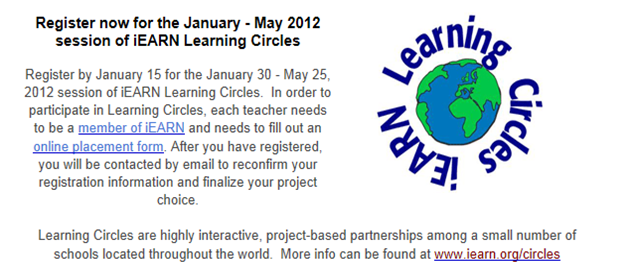 IEARN has some interesting new projects for you to consider. If I can urge you to do one thing in 2012 it is to get your class involved in global projects. It is really worth it and will be really exciting for your learners.
1. Learning Circles
http://www.iearn.org/circles/
2. Special Places project
http://media.iearn.org/projects/specialplaces
3. Future Citizens project http://media.iearn.org/projects/futurecitizen
4. Special Moon Observationhttp://media.iearn.org/projects/moon
4....
IEARN has some interesting new projects for you to consider. If I can urge you to do one thing in 2012 it is to get your class involved in global projects. It is really worth it and will be really exciting for your learners.
1. Learning Circles
http://www.iearn.org/circles/
2. Special Places project
http://media.iearn.org/projects/specialplaces
3. Future Citizens project http://media.iearn.org/projects/futurecitizen
4. Special Moon Observationhttp://media.iearn.org/projects/moon
4....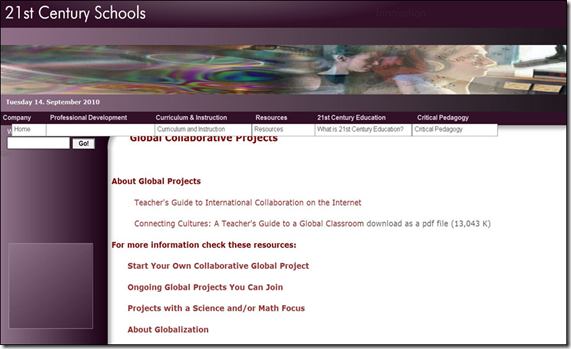 Our world is definitely becoming a global village! It is so much easier to connect with classes around the world in our technological age than ever before. It is really worth finding a global project to involve your class in. If you are looking for ways to connect with others here are a few ideas of places to start.
1. Global collaborative projects
http://www.21stcenturyschools.com/Global_Collaborative_Projects.htm#Start Your Own Collaborative Project
2. Kidlink
http://www.kidlink.org/kidspa...
Our world is definitely becoming a global village! It is so much easier to connect with classes around the world in our technological age than ever before. It is really worth finding a global project to involve your class in. If you are looking for ways to connect with others here are a few ideas of places to start.
1. Global collaborative projects
http://www.21stcenturyschools.com/Global_Collaborative_Projects.htm#Start Your Own Collaborative Project
2. Kidlink
http://www.kidlink.org/kidspa... I was very pleased to find out today, through one of my social networking links, that Blogger has its own YouTube Help Channel. It’s called BloggerHelp and you can find it here. When I took a look I saw they had one on one of this week’s topics – How to add a YouTube video to your blog. So I thought I would add it here. For those of you that are still unsure on how to do this here are some screen shots.
1. Find the video you want to download
2. Click on Share to first get the Inte...
I was very pleased to find out today, through one of my social networking links, that Blogger has its own YouTube Help Channel. It’s called BloggerHelp and you can find it here. When I took a look I saw they had one on one of this week’s topics – How to add a YouTube video to your blog. So I thought I would add it here. For those of you that are still unsure on how to do this here are some screen shots.
1. Find the video you want to download
2. Click on Share to first get the Inte... Submitted by Fiona Beal
Saturday 26 November 2011
This morning I woke up feeling excited. It was TeachMeet day at Elkanah house! Two ‘meets‘ to look forward to at the same venue – one to do with general technology (TeachMeet) and one to do with using Ipads in the classroom (Ipadmeet). I have written about TeachMeets before on this blog. https://www.schoolnet.org.za/2011/08/why-not-hold-teachmeet-in-your-area.html. They are a very exciting form of professional development. I have b...
Submitted by Fiona Beal
Saturday 26 November 2011
This morning I woke up feeling excited. It was TeachMeet day at Elkanah house! Two ‘meets‘ to look forward to at the same venue – one to do with general technology (TeachMeet) and one to do with using Ipads in the classroom (Ipadmeet). I have written about TeachMeets before on this blog. https://www.schoolnet.org.za/2011/08/why-not-hold-teachmeet-in-your-area.html. They are a very exciting form of professional development. I have b... What is a Google hangout?
Google+ is Google’s new social networking tool. I have only just discovered its amazing potential since attending the Google Teacher Academy in New York in October. Google has put a lot of funding into developing Google+ and they are committed to making it work well for education, so it will just get better and better I am sure. Once you have created a circle of friends in Google+ you can choose to hang out with them on Google+. This allows you to video chat, IM cha...
What is a Google hangout?
Google+ is Google’s new social networking tool. I have only just discovered its amazing potential since attending the Google Teacher Academy in New York in October. Google has put a lot of funding into developing Google+ and they are committed to making it work well for education, so it will just get better and better I am sure. Once you have created a circle of friends in Google+ you can choose to hang out with them on Google+. This allows you to video chat, IM cha... There are five Web2.0 applications that I think make a blog a really worthwhile teaching tool in a technology integrated classroom. They are:
1) Box.net where you can store documents that you have created and link to them.
2) Embedit.in which allows you to embed anything on your blog.
3) Slideshare which maakes an e-book from a PowerPoint or PDF. This is so useful for instructions.
4) Screencast-o-matic where you can explain and show at the same time.
5) Vocaroo.com where you can give verbal instructions...
There are five Web2.0 applications that I think make a blog a really worthwhile teaching tool in a technology integrated classroom. They are:
1) Box.net where you can store documents that you have created and link to them.
2) Embedit.in which allows you to embed anything on your blog.
3) Slideshare which maakes an e-book from a PowerPoint or PDF. This is so useful for instructions.
4) Screencast-o-matic where you can explain and show at the same time.
5) Vocaroo.com where you can give verbal instructions... Recently I have been running a free online blogging course for teachers around South Africa, and I decided to do all the teaching from a blog to model blogging. I suddenly realised what a fantastic teaching tool a blog can be in a technology integrated classroom. I’d like to share a few of the Web 2.0 applications that can really aid a teacher in a classroom.
1. Use Box.net to link to documents you have created http://box.net
For example
1.1 Join Box.net and upload your document. You ...
Recently I have been running a free online blogging course for teachers around South Africa, and I decided to do all the teaching from a blog to model blogging. I suddenly realised what a fantastic teaching tool a blog can be in a technology integrated classroom. I’d like to share a few of the Web 2.0 applications that can really aid a teacher in a classroom.
1. Use Box.net to link to documents you have created http://box.net
For example
1.1 Join Box.net and upload your document. You ...























