Google+ works on the concept of circles each with the level of privacy that you decide on. This post shows you how to create a circle after you have completed your profile in Google+.
1. Make sure you have joined Google+ (on the top left of your Gmail account) and have filled in your profile.After doing that go to your Google+ page and go down the left side till you get to Circles. Click on ‘Create a circle’.
2. Give your circle a name i.e. My technology friends
3. Now choose how you are g...
In this webinar we discussed BYOD (Bring your own device) which is a current buzz word. Basically instead of schools going to the expense of buying and maintaining technology devices the students are encouraged to bring their own devices from home – smart phones, laptops or tablets of one sort or another. What is your opinion on this? You would imagine that something like this wouldn’t work because of perhaps teacher skills in managing different devices or students forgetting their devices at home ...
I love exploring Susan Oxenvad’s amazing blog Cool Tools for Teachers – do visit it and also follow Susan on Twitter. On her blog I came across a post with this this brilliant representation of ‘Great ways of using Google Documents’. Not only does she illustrate how amazing and versatile Google Docs is for learning in the classroom, but she also demonstrates a fabulous way to use a Glogster for giving out information visually. If you click on each part of the glog you will be taken to ...
What is a Google hangout?
Google+ is Google’s new social networking tool. I have only just discovered its amazing potential since attending the Google Teacher Academy in New York in October. Google has put a lot of funding into developing Google+ and they are committed to making it work well for education, so it will just get better and better I am sure. Once you have created a circle of friends in Google+ you can choose to hang out with them on Google+. This allows you to video chat, IM chat, ...
These are our SchoolNet webinars for this week – Do join us if you can.
(1) Bring Your Own Device – does it work?
Summary:
Two educators relate the ins and outs plus successes of introducing the BYOD approach at their schools. In the ‘Bring Your Own Device’ approach the students are encouraged to bring their own technology like smartphones, tablets, and laptops to school for educational use in the classroom.
Presenters:
Michele Botha from Somerset House in Somerset West will speak on ...
It’s incredible what you come across on the Internet. While I was researching today I came across a fantastic video presentation (webinar) showing 32 ways of using Google Apps in the classroom. I am very keen to learn all I can about Google Apps so I immediately bookmarked it and thought I would share it here. This webinar was presented by Julia Stilitz, Google Apps for Education Team @juliastiglitz
The write-up says, ”This session will demonstrate some of the most powerful ways that teache...
A snippet from one of Michelle’s popplets
Our guest webinar tonight features Michelle Botha from Somerset House Primary School in Somerset West. She has made good use of an amazing classroom tool called ‘Popplet’ in her classroom experience and you don’t want to miss what she has to share!
Please join us in an Adobe Connect Meeting:
Meeting Name: The Power of Popplet
Summary: This webinar features the lovely mindmapping/sticky-note/collaboration application
...
Social networking is a way of life for most teachers today. It is a marvelous way for us to share and learn about new ideas that can really enhance our teaching. We know about social networks like Facebook, Twitter, and LinkedIn for example, all designed to let you share up-to-the
second updates,
ideas, thoughts, links and media with your colleagues. But have you discovered Google+? This is a social network of note that I have only recently explored. One thing I am discovering about Google is that t...
Submitted by Fiona Beal
A few months back I had the privilege of being invited, as a SchoolNet representative, to be one of the judges for the Nab’Ubomi Interschool 2011 Short Film Competition. What a marvelous evening it turned out to be watching these compelling short movies. These movies were created and carved by Grade 11 students in the Eastern Cape, and filmed using the guidance and resources of the Nab’Ubomi crew, at their respective schools. The Nab’Ubomi Film Development Projec...
Google+, Facebook, Twitter, LinkedIn and
the like are all social networks. They’re designed to let you share up-to-the
second updates,
ideas, thoughts, links and media with your friends and the public. There are a few features which makes Google different from these other networks.
Google
has
integrated Google+ with
its other
services (and continues to do so) e.g.Search, YouTube, Gmail and more. Google+ is already built into services you use
every day.
Google+ uses the concept of circles (...
SchoolNet South Africa is an incorporated Non Profit Company - Registration 2001/012244/08, NPO Number 030-817
and holds Public Benefit Organisation (PBO) Status, in terms of Section 30 of the Income Tax Act - PBO Number 130003557.

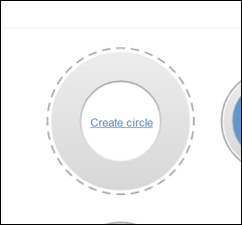 Google+ works on the concept of circles each with the level of privacy that you decide on. This post shows you how to create a circle after you have completed your profile in Google+.
1. Make sure you have joined Google+ (on the top left of your Gmail account) and have filled in your profile.After doing that go to your Google+ page and go down the left side till you get to Circles. Click on ‘Create a circle’.
2. Give your circle a name i.e. My technology friends
3. Now choose how you are g...
Google+ works on the concept of circles each with the level of privacy that you decide on. This post shows you how to create a circle after you have completed your profile in Google+.
1. Make sure you have joined Google+ (on the top left of your Gmail account) and have filled in your profile.After doing that go to your Google+ page and go down the left side till you get to Circles. Click on ‘Create a circle’.
2. Give your circle a name i.e. My technology friends
3. Now choose how you are g... In this webinar we discussed BYOD (Bring your own device) which is a current buzz word. Basically instead of schools going to the expense of buying and maintaining technology devices the students are encouraged to bring their own devices from home – smart phones, laptops or tablets of one sort or another. What is your opinion on this? You would imagine that something like this wouldn’t work because of perhaps teacher skills in managing different devices or students forgetting their devices at home ...
 I love exploring Susan Oxenvad’s amazing blog Cool Tools for Teachers – do visit it and also follow Susan on Twitter. On her blog I came across a post with this this brilliant representation of ‘Great ways of using Google Documents’. Not only does she illustrate how amazing and versatile Google Docs is for learning in the classroom, but she also demonstrates a fabulous way to use a Glogster for giving out information visually. If you click on each part of the glog you will be taken to ...
 What is a Google hangout?
Google+ is Google’s new social networking tool. I have only just discovered its amazing potential since attending the Google Teacher Academy in New York in October. Google has put a lot of funding into developing Google+ and they are committed to making it work well for education, so it will just get better and better I am sure. Once you have created a circle of friends in Google+ you can choose to hang out with them on Google+. This allows you to video chat, IM chat, ...
What is a Google hangout?
Google+ is Google’s new social networking tool. I have only just discovered its amazing potential since attending the Google Teacher Academy in New York in October. Google has put a lot of funding into developing Google+ and they are committed to making it work well for education, so it will just get better and better I am sure. Once you have created a circle of friends in Google+ you can choose to hang out with them on Google+. This allows you to video chat, IM chat, ... These are our SchoolNet webinars for this week – Do join us if you can.
(1) Bring Your Own Device – does it work?
Summary:
Two educators relate the ins and outs plus successes of introducing the BYOD approach at their schools. In the ‘Bring Your Own Device’ approach the students are encouraged to bring their own technology like smartphones, tablets, and laptops to school for educational use in the classroom.
Presenters:
Michele Botha from Somerset House in Somerset West will speak on ...
These are our SchoolNet webinars for this week – Do join us if you can.
(1) Bring Your Own Device – does it work?
Summary:
Two educators relate the ins and outs plus successes of introducing the BYOD approach at their schools. In the ‘Bring Your Own Device’ approach the students are encouraged to bring their own technology like smartphones, tablets, and laptops to school for educational use in the classroom.
Presenters:
Michele Botha from Somerset House in Somerset West will speak on ... It’s incredible what you come across on the Internet. While I was researching today I came across a fantastic video presentation (webinar) showing 32 ways of using Google Apps in the classroom. I am very keen to learn all I can about Google Apps so I immediately bookmarked it and thought I would share it here. This webinar was presented by Julia Stilitz, Google Apps for Education Team @juliastiglitz
The write-up says, ”This session will demonstrate some of the most powerful ways that teache...
It’s incredible what you come across on the Internet. While I was researching today I came across a fantastic video presentation (webinar) showing 32 ways of using Google Apps in the classroom. I am very keen to learn all I can about Google Apps so I immediately bookmarked it and thought I would share it here. This webinar was presented by Julia Stilitz, Google Apps for Education Team @juliastiglitz
The write-up says, ”This session will demonstrate some of the most powerful ways that teache... A snippet from one of Michelle’s popplets
Our guest webinar tonight features Michelle Botha from Somerset House Primary School in Somerset West. She has made good use of an amazing classroom tool called ‘Popplet’ in her classroom experience and you don’t want to miss what she has to share!
Please join us in an Adobe Connect Meeting:
Meeting Name: The Power of Popplet
Summary: This webinar features the lovely mindmapping/sticky-note/collaboration application
...
A snippet from one of Michelle’s popplets
Our guest webinar tonight features Michelle Botha from Somerset House Primary School in Somerset West. She has made good use of an amazing classroom tool called ‘Popplet’ in her classroom experience and you don’t want to miss what she has to share!
Please join us in an Adobe Connect Meeting:
Meeting Name: The Power of Popplet
Summary: This webinar features the lovely mindmapping/sticky-note/collaboration application
... Social networking is a way of life for most teachers today. It is a marvelous way for us to share and learn about new ideas that can really enhance our teaching. We know about social networks like Facebook, Twitter, and LinkedIn for example, all designed to let you share up-to-the
second updates,
ideas, thoughts, links and media with your colleagues. But have you discovered Google+? This is a social network of note that I have only recently explored. One thing I am discovering about Google is that t...
Social networking is a way of life for most teachers today. It is a marvelous way for us to share and learn about new ideas that can really enhance our teaching. We know about social networks like Facebook, Twitter, and LinkedIn for example, all designed to let you share up-to-the
second updates,
ideas, thoughts, links and media with your colleagues. But have you discovered Google+? This is a social network of note that I have only recently explored. One thing I am discovering about Google is that t... Submitted by Fiona Beal
A few months back I had the privilege of being invited, as a SchoolNet representative, to be one of the judges for the Nab’Ubomi Interschool 2011 Short Film Competition. What a marvelous evening it turned out to be watching these compelling short movies. These movies were created and carved by Grade 11 students in the Eastern Cape, and filmed using the guidance and resources of the Nab’Ubomi crew, at their respective schools. The Nab’Ubomi Film Development Projec...
Submitted by Fiona Beal
A few months back I had the privilege of being invited, as a SchoolNet representative, to be one of the judges for the Nab’Ubomi Interschool 2011 Short Film Competition. What a marvelous evening it turned out to be watching these compelling short movies. These movies were created and carved by Grade 11 students in the Eastern Cape, and filmed using the guidance and resources of the Nab’Ubomi crew, at their respective schools. The Nab’Ubomi Film Development Projec... Google+, Facebook, Twitter, LinkedIn and
the like are all social networks. They’re designed to let you share up-to-the
second updates,
ideas, thoughts, links and media with your friends and the public. There are a few features which makes Google different from these other networks.
Google
has
integrated Google+ with
its other
services (and continues to do so) e.g.Search, YouTube, Gmail and more. Google+ is already built into services you use
every day.
Google+ uses the concept of circles (...
Google+, Facebook, Twitter, LinkedIn and
the like are all social networks. They’re designed to let you share up-to-the
second updates,
ideas, thoughts, links and media with your friends and the public. There are a few features which makes Google different from these other networks.
Google
has
integrated Google+ with
its other
services (and continues to do so) e.g.Search, YouTube, Gmail and more. Google+ is already built into services you use
every day.
Google+ uses the concept of circles (...























