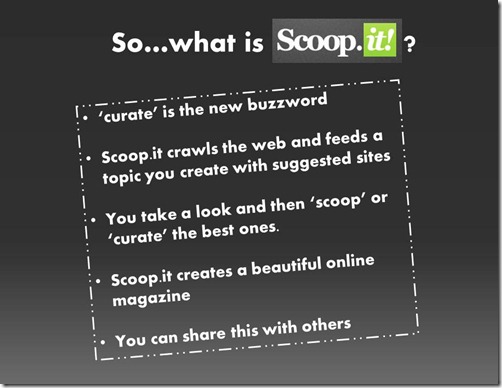
You have probably heard the word ‘curator’ being bandied around? ‘Curating’ is one of the latest buzzwords and that is what Scoop.it does. (I haven’t yet investigated Paper.li but it could be similar). So, what happens is you join Scoop.it (http://www.scoopit.com) and choose a topic you would like information about.
Scoop.it then crawls the Internet searching for articles based on the keywords you have given to your search topic. You then curate by choosing which ...
The internet is full of amazing animations and infographics that can really aid our visual learners. I love this explanation of how the heart works which is found at http://www.explania.com/en/channels/health/detail/the-human-heart
Explore the embedded infographic below
This interactive infographic explains the anatomy and function of the human heart. Follow the instructions on the inforgraphic and use it to see how the blood flows through the different chambers and valves. Visualize the blood flow ins...
This free e-book on Mobile Learning, written by Jackie Gerstein (@jackiegerstein, https://usergeneratededucation.wordpress.com/), was brought to my attention by a post on the Free Technology for Teachers blog. It could be a great read for South African teachers where students frequently have cell phones that could be tapped into because other technology resources are non-existent. Take a read to see if it could benefit you. You’ll find eighty pages of useful information. You can also download your own ...
First there was YouTube, then came YouTube for Educators, and now we have YouTube for Schools. Things are definitely getting better for education. I think many parents will be happier knowing there is a YouTube that is just for schools. For one thing YouTube for Schools lets you browse YouTube without any related videos on show, or any comments to wade through. This gives an uncluttered feel. If you have access to a data projector or an interactive whiteboard in your classroom, an occasiona...
Have you recently created a blog and you find it is look rather bare?
*Perhaps you would like to make it look more like a website?
*Would you like to change the background into something bright and appealing?
*Would you like to have a whole string of gadgets down the side?
We call the gadgets down the side ‘Widgets’ and they certainly do make our blogs more interesting and effective. Here is a slideshare of some of the things you can do to spruce up your blog.
Adding bells and whistles to yo...
What is Wallwisher?
Wallwisher is an online notice board that is incredibly easy to use and also incredibly useful as a classroom tool! Better still – it is an online collaboration tool to share ideas, resources, and thoughts on a particular topic.What I really like about it is that you can embed videos, photos etc. Best of all, your students don’t need an account in order to write on your wall.
How do you get started?
1.First of all go to http://wallwisher.com and sign up on the top right c...
Introduction – Jing and Screenr
A few months ago I decided to use screencasting more in lessons. The first programme I tried was Jing. I actually liked it so much that I took out the pro membership which was very cheap but gave more benefits. Then I discovered Screenr which seems to have all the benefits of Jing pro as well, although it is free. I wanted my class to do two things:
*Learn how to create a Voki (a little avatar that can speak) .
*Get their Vokis to complain about an issue in...
Microsoft Photo Story 3 is a very popular free application that allows users to create a visual story (show and tell presentation) from their digital photos. The software allows adding narration, effects, transitions and background music to create a Windows Media Video movie file with pan and zoom effects. Once a photo story has been made it can be played on a PC using Windows Media Player.
Here is a tutorial for using Photostory 3 from the Partn...
Today I thought I would experiment with Screenr as a screencasting tool to illustrate some aspects that I want to highlight in a talk I am presenting tomorrow. I normally use Jing, and I will write about Jing at some stage as well.
Well first of all I went along to the Screenr website and joined.
There was a video giving instructions right there and so I watched it. In fact click on the picture below and you will be taken to the instruction video
See how easy it looks. For my talk tomorrow I w...
With Windows Live Writer you can write your posts offline and then publish them when you are finished. This will be a great help to me as I usually write my posts in Word – and the HTML code is very complicated behind the scenes. Correcting the formatting in the published post is also a headache! I am using Live Writer now for the first time so I’ll be able to comment on how easy it is to use in a minute. To install Live Writer this is what you need to do:
1. Go to the Internet and search for Wi...
SchoolNet South Africa is an incorporated Non Profit Company - Registration 2001/012244/08, NPO Number 030-817
and holds Public Benefit Organisation (PBO) Status, in terms of Section 30 of the Income Tax Act - PBO Number 130003557.

 You have probably heard the word ‘curator’ being bandied around? ‘Curating’ is one of the latest buzzwords and that is what Scoop.it does. (I haven’t yet investigated Paper.li but it could be similar). So, what happens is you join Scoop.it (http://www.scoopit.com) and choose a topic you would like information about.
Scoop.it then crawls the Internet searching for articles based on the keywords you have given to your search topic. You then curate by choosing which ...
You have probably heard the word ‘curator’ being bandied around? ‘Curating’ is one of the latest buzzwords and that is what Scoop.it does. (I haven’t yet investigated Paper.li but it could be similar). So, what happens is you join Scoop.it (http://www.scoopit.com) and choose a topic you would like information about.
Scoop.it then crawls the Internet searching for articles based on the keywords you have given to your search topic. You then curate by choosing which ... Have you recently created a blog and you find it is look rather bare?
*Perhaps you would like to make it look more like a website?
*Would you like to change the background into something bright and appealing?
*Would you like to have a whole string of gadgets down the side?
We call the gadgets down the side ‘Widgets’ and they certainly do make our blogs more interesting and effective. Here is a slideshare of some of the things you can do to spruce up your blog.
Adding bells and whistles to yo...
Have you recently created a blog and you find it is look rather bare?
*Perhaps you would like to make it look more like a website?
*Would you like to change the background into something bright and appealing?
*Would you like to have a whole string of gadgets down the side?
We call the gadgets down the side ‘Widgets’ and they certainly do make our blogs more interesting and effective. Here is a slideshare of some of the things you can do to spruce up your blog.
Adding bells and whistles to yo...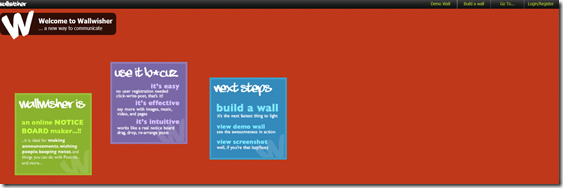 What is Wallwisher?
Wallwisher is an online notice board that is incredibly easy to use and also incredibly useful as a classroom tool! Better still – it is an online collaboration tool to share ideas, resources, and thoughts on a particular topic.What I really like about it is that you can embed videos, photos etc. Best of all, your students don’t need an account in order to write on your wall.
How do you get started?
1.First of all go to http://wallwisher.com and sign up on the top right c...
What is Wallwisher?
Wallwisher is an online notice board that is incredibly easy to use and also incredibly useful as a classroom tool! Better still – it is an online collaboration tool to share ideas, resources, and thoughts on a particular topic.What I really like about it is that you can embed videos, photos etc. Best of all, your students don’t need an account in order to write on your wall.
How do you get started?
1.First of all go to http://wallwisher.com and sign up on the top right c...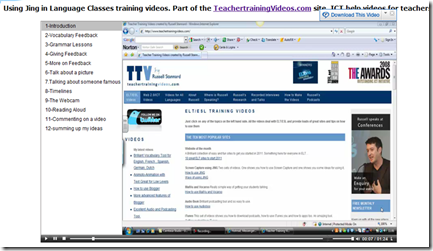 Introduction – Jing and Screenr
A few months ago I decided to use screencasting more in lessons. The first programme I tried was Jing. I actually liked it so much that I took out the pro membership which was very cheap but gave more benefits. Then I discovered Screenr which seems to have all the benefits of Jing pro as well, although it is free. I wanted my class to do two things:
*Learn how to create a Voki (a little avatar that can speak) .
*Get their Vokis to complain about an issue in...
Introduction – Jing and Screenr
A few months ago I decided to use screencasting more in lessons. The first programme I tried was Jing. I actually liked it so much that I took out the pro membership which was very cheap but gave more benefits. Then I discovered Screenr which seems to have all the benefits of Jing pro as well, although it is free. I wanted my class to do two things:
*Learn how to create a Voki (a little avatar that can speak) .
*Get their Vokis to complain about an issue in...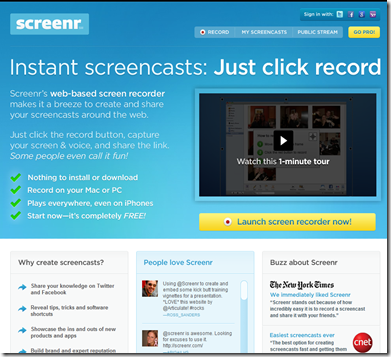 Today I thought I would experiment with Screenr as a screencasting tool to illustrate some aspects that I want to highlight in a talk I am presenting tomorrow. I normally use Jing, and I will write about Jing at some stage as well.
Well first of all I went along to the Screenr website and joined.
There was a video giving instructions right there and so I watched it. In fact click on the picture below and you will be taken to the instruction video
See how easy it looks. For my talk tomorrow I w...
Today I thought I would experiment with Screenr as a screencasting tool to illustrate some aspects that I want to highlight in a talk I am presenting tomorrow. I normally use Jing, and I will write about Jing at some stage as well.
Well first of all I went along to the Screenr website and joined.
There was a video giving instructions right there and so I watched it. In fact click on the picture below and you will be taken to the instruction video
See how easy it looks. For my talk tomorrow I w... With Windows Live Writer you can write your posts offline and then publish them when you are finished. This will be a great help to me as I usually write my posts in Word – and the HTML code is very complicated behind the scenes. Correcting the formatting in the published post is also a headache! I am using Live Writer now for the first time so I’ll be able to comment on how easy it is to use in a minute. To install Live Writer this is what you need to do:
1. Go to the Internet and search for Wi...
With Windows Live Writer you can write your posts offline and then publish them when you are finished. This will be a great help to me as I usually write my posts in Word – and the HTML code is very complicated behind the scenes. Correcting the formatting in the published post is also a headache! I am using Live Writer now for the first time so I’ll be able to comment on how easy it is to use in a minute. To install Live Writer this is what you need to do:
1. Go to the Internet and search for Wi...























